


A Quick Guide To Creating A SendX Automation With InstaPage.
SendX allows you to use several third-party products (integrated with SendX) as triggers for specific automated actions.
This short guide will help you out with creating a SendX automation with InstaPage as its Trigger.
If you are new to automations, you can check out the basics here.
Create a new automation or edit an already existing one.
Under Trigger, open the first drop down menu on the left and select InstaPage. Choose from the available InstaPage-related actions in the field to its right.
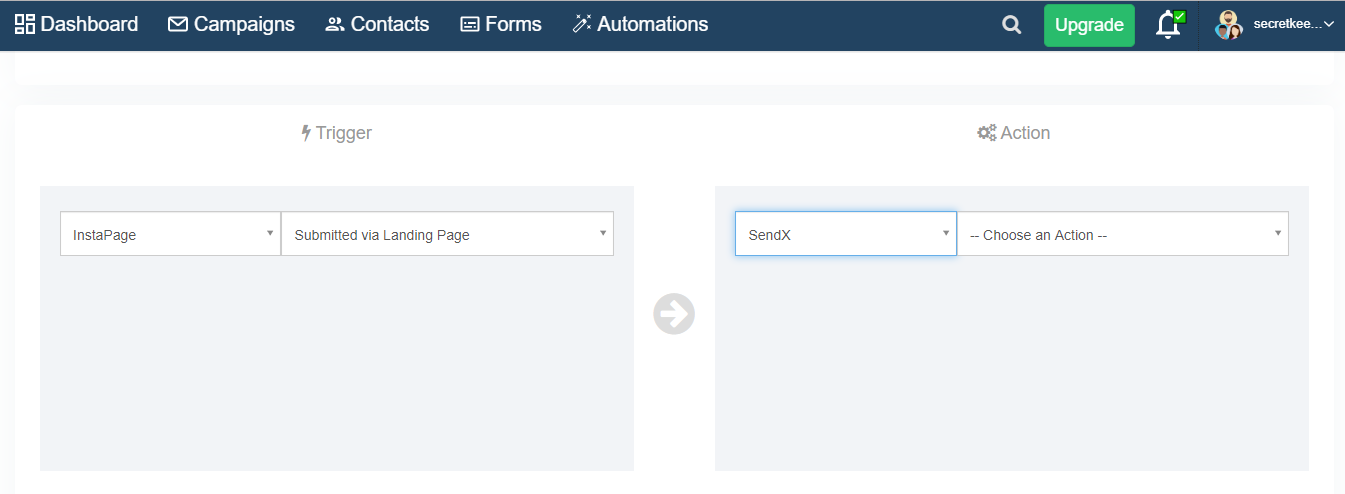
Under Action, choose the desired action.
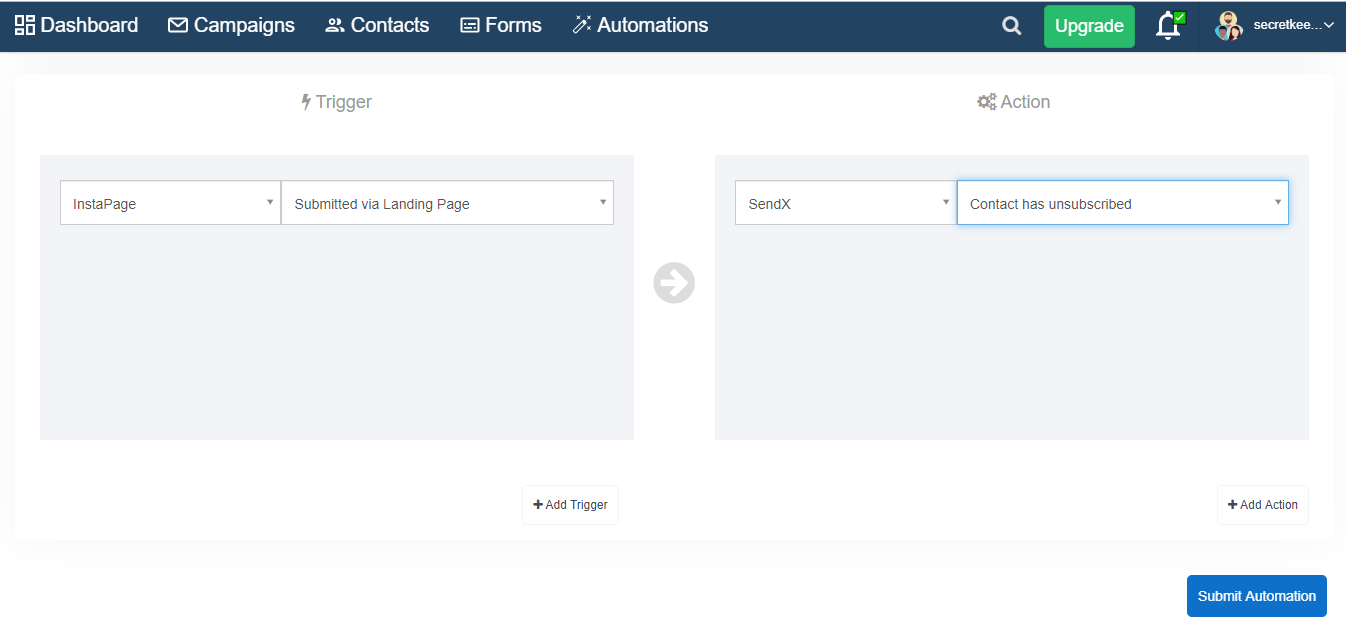
Clarify or format properly, e.g., Submit Automation Page (screenshot/step reference)
That’s it! You now know how to set up an automation with InstaPage in SendX.
